Android app help | Checked 25 October 2026
Sky-Jo App Problems: Connection Errors, Lost Coins, and Bot Matches Explained
Start with the exact app, preserve the match evidence, and separate a connection fault from a balance dispute or unwanted matchmaking. This guide explains what dated player reports establish and how to choose a safe next step.
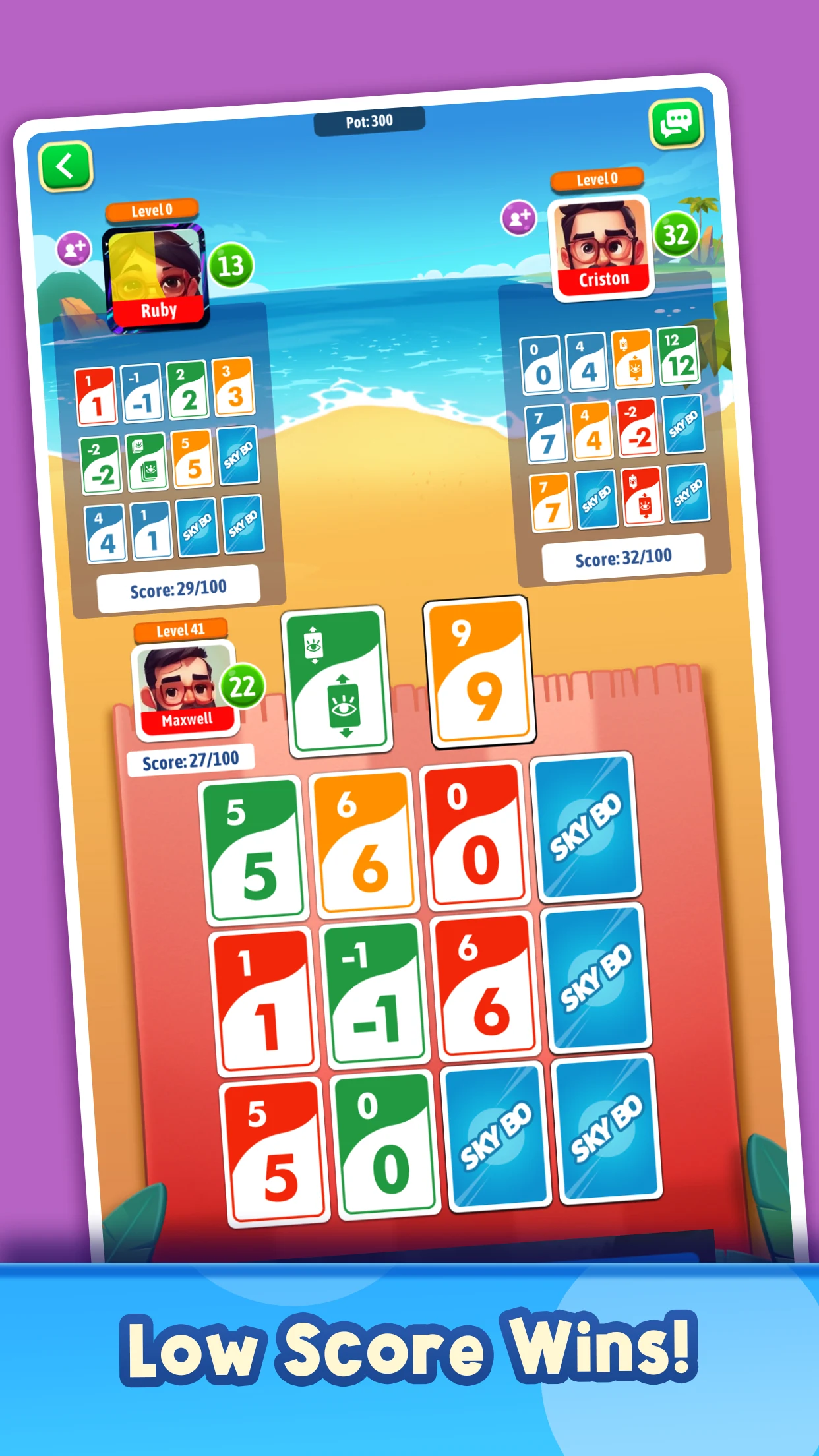
Identify the Sky-Jo app before troubleshooting
First check which game is on your phone. This article addresses Sky-Jo: Fun Family Card Game!, the Google Play product whose Android package is skytrick.world.tour. Similar names appear on iOS, on other Android products and on scorekeeping companions. An incident in one listing cannot automatically explain a failure in another. In particular, a companion that totals a physical card game is a different tool from an app that runs the match.
Check the package, developer, and support link
On the target Play listing, the publisher label is Malgudi Gamez, developer details name Padma Ravindra, and the support email is [email protected]. Match these identifiers to your installed product before using the contact address. The checked listing does not establish a Magilano licensing relationship, so we do not call this the official Magilano app.
| What to record | What it distinguishes |
|---|---|
| Store link and package | This Android product from similarly named games. |
| Installed version | Your actual software from an older reviewer's installation. |
| Phone and Android version | Device circumstances that support may need to compare. |
| Mode and player identifier | The affected match context and account. |
Take that short record while the problem is fresh. If a friend says the game works, compare the same mode and installed version before drawing conclusions. Someone practicing offline has not tested the friends room that failed for you. Someone using an iPhone may be describing related-looking screens on a separate release. These details turn a vague disagreement into a useful comparison.
A store update date is also less precise than your installed version. A phone may not yet have the available release, and storefront views can vary. Keep the version displayed on your device rather than guessing it from a review's age. Our SKYJO mobile app overview helps with broader product choices; the purpose here is to diagnose one existing installation while preserving its history and giving the right operator enough information to help.
What recent player complaints actually establish
In the German-language Play review selection checked on 25 October 2026, a 16 September reviewer reports crashes, connection trouble and unwanted bots. A 30 August reviewer associates freezes with lost coins. An April reviewer objects to changes in the friends mode called Crazy. These are dated personal reports, not reproduced faults or a measure of how often the problems occur.
| Concern | Question worth answering first |
|---|---|
| Frozen game | Did the whole app close, or did one table stop updating? |
| Coins changed | Which entry, result or refresh preceded the change? |
| Suspected bot | What mode and opponent labels were visible? |
| Different friends mode | Which setting or card behavior changed? |
This separation matters because a disliked feature is not necessarily a connection fault. A mode may work as designed while offering a less enjoyable experience than before. A match may apply the expected rules while its interface stops refreshing. Describe the symptom that interrupted your game, then explain the impact. That order makes it possible to investigate instead of debating whether the app is generally good or bad.
Neither a review's age nor a later store update closes the case. The reviewer may have used an earlier release, and an update date does not explain which defects were addressed. If a developer supplies a relevant fix note, compare it with your installed version and test the affected path once. Otherwise the relationship remains unknown. Do not assume that a September report proves every October installation has the same fault.
The selection also cannot prove that most users lose coins, that every online opponent is automated or that a shared outage is happening now. Its value is more concrete: it identifies experiences worth documenting carefully. A player who records the affected mode, transition and time contributes evidence that an undated statement of frustration cannot provide.
If you are deciding whether to keep playing, judge the reliability of the activity you actually want. A single successful offline round does not validate an evening of remote friends play. Equally, one failed session does not establish permanent failure. Set a limited retry goal and preserve the outcome rather than treating every new match as an uncontrolled experiment.
Recover from a stalled match without risking your account
When a table stops, preserve the state before trying to repair it. Note the last move, whose turn is shown and whether the timer or other controls still respond. Ask invited friends what their screens show. One stale display and a room that has stopped for everyone are different observations, even though neither proves the underlying cause. Avoid repeatedly tapping a card while you are unsure whether the first tap registered.
Separate connection trouble from an app crash
Write down whether the game closed to your home screen or stayed open without progressing. Google's Android connection advice includes checking general internet access and comparing Wi-Fi with mobile data. Make that comparison between matches when possible: changing networks or restarting during a live match can itself interrupt play, and the listing does not promise a protected reconnection window.
- Save the visible message, table and time. Include the room or match identifier if one is displayed.
- Try a normal web page. If that fails too, investigate the wider connection. If it loads, you have confirmed some internet access, not the health of the game's service.
- After the live session ends, compare another available connection and record whether the same mode opens. Change one condition at a time.
- Check for a Play update and use an ordinary app or device restart when appropriate. Record the version before and after instead of silently replacing the conditions of the test.
Use the outcome to narrow your report. A successful test on another network is evidence about that test; it is not proof that the original failure was your router's fault. If the game alone fails while other apps work, contact its developer with the comparison. If all online functions fail, the device or connection deserves attention before more match attempts.
Preserve your progress before destructive fixes
Keep clear storage and reinstalling out of the first response. Android's app troubleshooting guidance warns that uninstalling erases saved app data. The checked Sky-Jo listing does not explain a recovery guarantee for every guest profile or unfinished match. Having a Google account on the phone does not establish that this game's balance is backed up.
Record the player identifier, balance and access method, then ask support what survives a reset. Google's storage explanation distinguishes temporary cache from app data. Button names vary among phones. Do not press a storage-reset button simply because someone used the loose phrase "clear the cache" in a comment. If the distinction is unclear, stop and ask about the exact control.
Also choose a stopping point. After one controlled retry produces the same failure, another identical entry may add risk without adding information. A useful report containing two comparable observations is better than losing track of several interrupted games. Nothing in these steps guarantees a restored seat, reversed result or recovered coins.

Investigate missing coins with a before-and-after record
Give a balance dispute a timeline. Record the amount before joining, the entry amount shown, the match result and the balance after returning. If a refresh changes the number again, save that too. Include a timestamp and mode so that the operator can look for the right session. A large loss remembered after several matches is harder to investigate than one clearly documented transition.
Consider an invented example: 12,000 coins before entering, a displayed entry of 1,000, and 10,000 afterward. The decrease is 2,000. A single 1,000 entry accounts for only half of it. That identifies a question, not a cause. Another entry, a delayed update, a result adjustment or an error could require investigation. These figures illustrate recordkeeping; they do not describe this app's current entry options or reward formula.
While reconstructing the change, avoid starting more matches just to see whether the missing amount returns. Each attempt introduces another event into the timeline. Save any result screen that could explain the adjustment. If you record video, focus on the transition and conceal private account details. A screenshot of the final number alone cannot show what the service displayed before the incident.
Distinguish a balance dispute from a payment dispute
A lost playing balance is not automatically a missing purchase. If your installed version offers a paid item and your complaint concerns one, retain its receipt and item description. Google's in-app purchase help covers checking payment completion and contacting the developer about delivery. Use the Google account that made the transaction when reviewing its history.
Avoid buying again to test whether the first purchase worked. Establish whether the original payment completed and whether the item reached the intended game account. Send the relevant order identifier privately to the support channel handling that purchase, without including unrelated billing details. A public review is a poor place for a full receipt, passwords or personal payment information.
For eligible paid transactions, the current Google Play refund procedure is another route. Approval depends on the circumstances and applicable policy; neither a refund nor restored game coins is guaranteed. Earned coins lost during a disputed match need the operator's review of that match rather than an invented receipt or a cash equivalent.
Keep the request narrow: identify the discrepancy, attach the sequence and ask whether the account events can be checked. If support corrects it, compare the revised amount with the record before resuming. If it remains unresolved, preserve the case identifier and avoid adding more uncertainty through repeated entries or account resets.
Treat suspected bot matches as a matchmaking question
Ask what the selected mode promises before deciding what an opponent's behavior means. The listing advertises offline, online and friends play. It does not explain a human-only guarantee, a seat-filling algorithm or the exact conditions under which software might replace someone. A complaint about bots identifies a reasonable question for the operator; it does not answer those technical questions for every table.
An unfamiliar name, instant move or strange exchange cannot reliably reveal who controls a seat. People can use default profiles and make hurried decisions. Software can wait between moves. A player replacing a visible 12 with an 11 has saved one known point; the choice may overlook a better plan, but it does not reveal whether the player is human. Analyze the decision on its merits rather than using it as an identity test.
There are also three separate issues hidden in many bot complaints: automated messages, automated card decisions and suspected unfair dealing. Evidence of one does not establish the others. An unwanted chat feature does not prove that all opponents are computer-controlled. A computer opponent does not prove it sees hidden cards or receives a favorable shuffle. A losing streak cannot resolve those questions either.
Record the mode label and any explicit computer or replacement notice. Then ask support whether empty seats in that mode can be filled automatically, whether a disconnected friend can be replaced, and whether a human-only option exists. If neither the interface nor support provides an answer, leave the point unresolved. Increasing an entry amount is not a sound test unless the operator actually says that it changes the matching pool.
For a social game, invited friends give you a more observable test. Ask each person to confirm that they are present and seeing the same turn. That is useful information about the people you invited, although it still cannot guarantee a stable session. For solo practice, computer opponents can be a perfectly acceptable choice if that is the experience you selected.
The decision to continue need not wait for proof of cheating. If anonymous matching repeatedly fails to deliver the experience you want, that alone is a reasonable reason to choose another activity. Keep the public claim proportionate: describe the unwanted behavior and unanswered mode question, rather than presenting an unverified theory about hidden cards as an established fact.
Send a support report that someone can investigate
Use the app's current Play support details and check that they still match your product. Google's developer-contact guidance recommends identifying the app, describing the issue specifically and explaining the response you seek. For this listing, the checked email is [email protected]. This guide does not promise a response deadline, a coin adjustment or access to the operator's records.
Keep the report short enough to understand at first reading, with attachments supporting the sequence. A version number, mode and exact message carry more investigative value than a long list of unrelated frustrations. If several friends were affected, one clear summary can explain whose screens stopped and whether anyone continued. Ask before sharing another person's account details.
A practical report template
- Product: Sky-Jo: Fun Family Card Game!, package skytrick.world.tour.
- Device, Android version and installed app version: fill in your actual values.
- Player identifier and mode: include a room or match reference if displayed.
- When: local date, time and time zone.
- Sequence: what you selected, what should have happened, and what appeared instead.
- Impact: stalled match, changed balance, missing delivery or unwanted opponent behavior.
- Checks: the one controlled retry or connection comparison you performed and its outcome.
- Request: ask for the relevant account event, match behavior or recovery method to be investigated.
Attach a small number of clear images with descriptive filenames. Keep originals privately so that you can answer a follow-up question. Remove unrelated notifications, payment details and other people's information from copies. Never provide passwords, login codes or remote access merely to demonstrate a card-game fault. A support report should identify the affected account without handing over control of it.
Decide whether to retry, wait, or switch activities
Retry when you can change one relevant condition and accept the session risk. Wait when the same fault repeats, the balance is unclear or you lack a safe account-recovery method. Choose another activity when the available mode does not meet your goal, even if the underlying cause remains unresolved. You do not need to prove a systemic defect before deciding that tonight's friends game would be better elsewhere.
If you switch to our browser play page or a physical deck, check the chosen product's rules and features on their own terms. A different interface is not a continuation of the disputed match and cannot recover its balance. Keep the original evidence and any case reference so that trying another game does not erase the history you need.
The useful endpoint is a clear decision backed by a clear record: one exact app, one described incident and a specific request. That approach protects your time, makes the support conversation easier and lets you return to playing when the mode and account state are understood.

Loading comments...